

Published on June 12, 2026
13 min to read
How to Find Your Target Audience on Social Media

Summarize with AI

Table of contents
Summarize with AI

ChatGPT

Claude

Perplexity
Share

Vista Social

X (Twitter)


Most advice on finding your target audience reads the same way. Build a persona, list some demographics, and picture your ideal customer sipping a latte somewhere. That’s marketing-101, and it’s not the question a social media manager is asking.
Finding your audience on social media is a more answerable problem than that. The platforms and your own accounts already tell you who’s paying attention. Listening tools surface the people you haven’t reached yet. The job is to read the signals you already have and confirm them with behavior. You’re not inventing an audience from thin air.
This guide is a practical, platform-by-platform way to find your target audience on social media using data instead of guesswork. Think of it as audience research you run from signals you already have. From there, you validate and reach the people who matter. We’ll start with a quick definition, then get into the process you can run this week.
Table of contents
How to find your target audience on social media (step by step)
A repeatable process you can run this week. Each step has the data to look at and the trap to avoid.
1. Start with the audience you already have
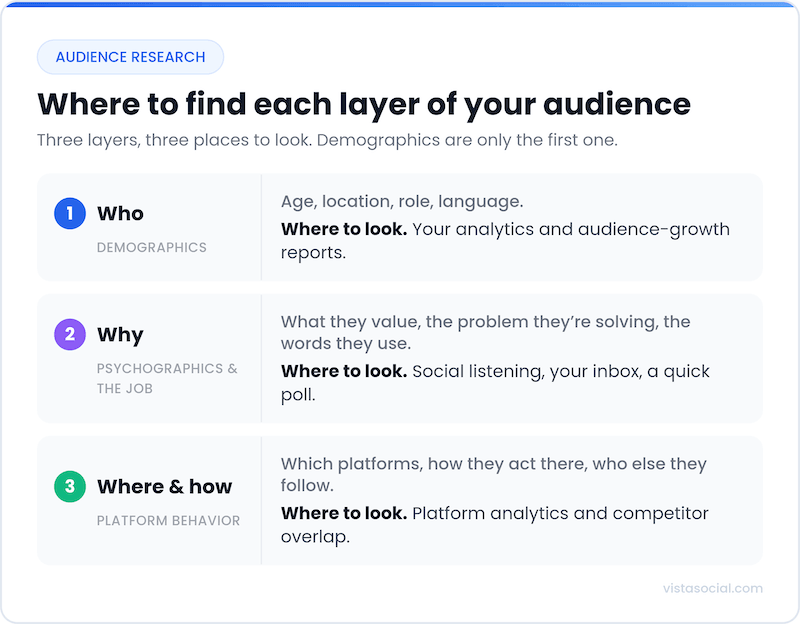
Pull your follower and engagement demographics from each platform’s native analytics. Look at age, location, active times, and your top-performing posts. Reading your own engagement data is ground truth, the audience is already paying attention. The trap is skipping it because it feels obvious when it’s the most honest data you own.
2. Define who you want, in behavioral terms
Layer on who you’re trying to reach, described by what they do rather than just who they are. A real understanding of your audience starts with knowing what your audience is trying to solve. Note the creators they follow and the language they use.
Segment your target audiences based on that behavior, not just age and gender. Keep it light, a few sentences beat a twelve-field worksheet you’ll never reopen. The trap is stopping at demographics, which tells you nothing about what to post.
3. Listen for who you’re missing
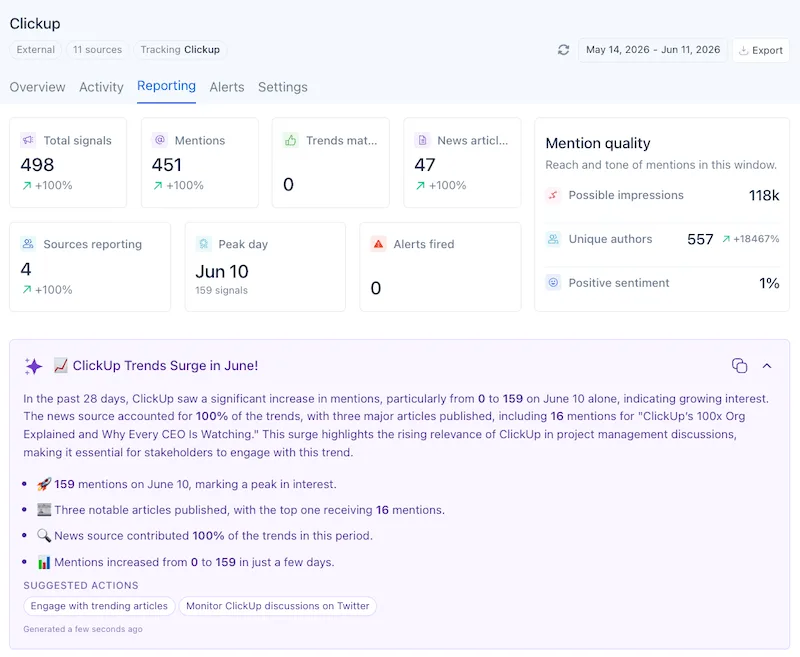
Your followers are a biased sample; they already like you. Social listening surfaces the people talking about your category, your brand, and your competitors who haven’t found you yet. That’s your potential audience, along with the sentiment and exact words they use. Vista Social’s social listening earns its keep here as the discovery engine. It surfaces whole segments your own analytics can’t see.
A skincare brand might learn that new parents keep recommending it for sensitive skin. That’s an audience its follower list never showed and is worth leaning into. The trap is treating listening as a reporting afterthought instead of a discovery tool.
4. Study your competitors’ audiences
Look at who engages with brands and creators like you and what content earns it. Notice where their audience overlaps with or differs from yours. Competitor analysis turns that into a side-by-side you can act on. The trap is copying their content instead of learning from their audience.
5. Map your audience to the right platforms
Decide which networks your audience genuinely uses and how they behave on each. The next section gets specific about that. The trap is running one flattened audience everywhere and wondering why it lands on none of them.
6. Validate with a test-and-read loop
Publish, then watch which types of content earn the engagement, watch time, and saves. See which people engage with your content. Your audience definition is confirmed by behavior, not by the document. The trap is treating your first guess as final.
Target audience vs. ideal customer vs. buyer persona
These three get used interchangeably, and the distinction is small but useful. Your target audience is the group you aim for on a platform. Your ideal customer is the person most likely to buy and stick around, the bullseye inside that audience. A buyer persona is the semi-fictional sketch that bundles both into something your team can picture.
On social, the target audience earns most of your attention. It’s behavioral and observable, whereas the others lean on assumption. If you want the full persona-building playbook, the social media planning guide walks through it.
How to find your audience on each major platform
As Social Media Today’s Andrew Hutchinson puts it, “the only really relevant question is where your target audience is active.” Same brand, different audience on every network, so audience targeting is a per-platform job.
Knowing where your audience hangs out across different social media sites is half the work. Pew Research found that 78% of US adults aged 18 to 29 use Instagram. Just 15% of those 65 and older do. The gaps are just as sharp on TikTok and LinkedIn. The platform you’re on quietly pre-selects who you can reach.
Your audience data lives in Instagram Insights on a professional account, with age, gender, top locations, and active times. Saves and shares matter more than likes, since they show genuine resonance. Instagram over-indexes on 18-to-34s and visual, lifestyle-led categories. A quick tactic is to check which posts non-followers found you through. That’s your reachable audience showing itself.
The native tool is Instagram Insights, free on any professional (Creator or Business) account.
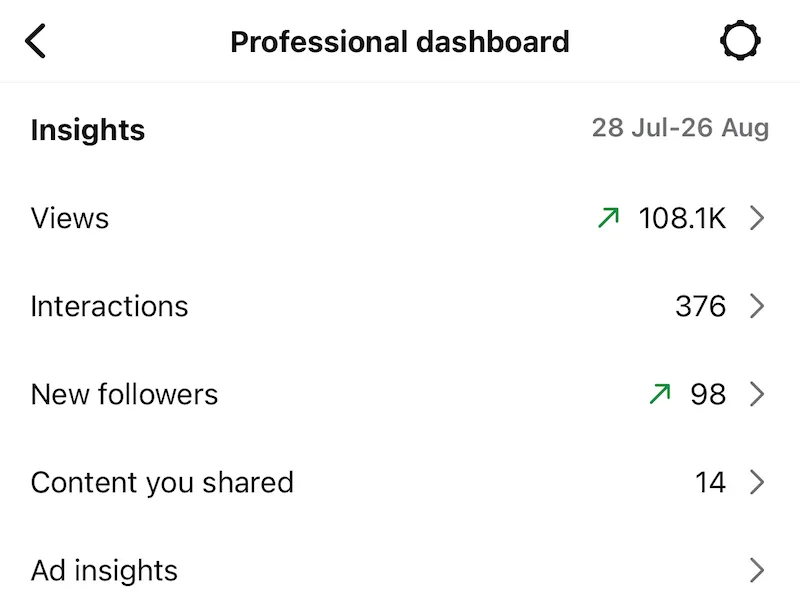
Here’s how to access your audience data in Instagram Insights, inside the Professional dashboard.
- Open Insights from the Professional dashboard under your bio or the menu in the top corner. The desktop layout is different. It does not sit “under your profile” on the main page. Instead, it is located on the left-hand navigation sidebar (under a dedicated “Insights” or “Professional Dashboard” tab) when you log into a professional account.
- Tap Total followers and scroll to the bottom for age, gender, top locations, and most-active times.
- On a strong post, tap View insights and check accounts reached, split into followers and non-followers. The posts non-followers found you through are your reachable audience showing itself.
Saves and shares matter more than likes, since they show real resonance. Instagram still over-indexes on 18-to-34s and visual, lifestyle-led categories, so weigh that against who you meant to reach.
TikTok
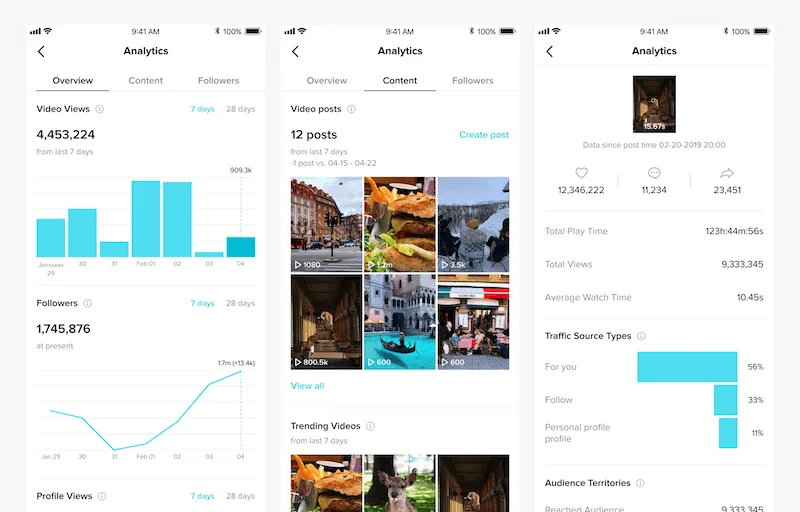
TikTok Analytics shows follower territories, gender split, and active times. The For You page means non-followers matter as much as followers. Completion rate and rewatches are your clearest resonance signals. TikTok skews young and broad. A quick tactic is to read the comments on your best videos for the language your audience uses. Then write in it.
Your data sits in TikTok Analytics, inside Business Suite (or TikTok Studio on a creator account).
- From your Profile, open the menu (three lines), choose Business Suite, then Analytics, then View all. On desktop, go to tiktok.com/analytics.
- Open the Followers tab for gender, age, top territories, and most-active times.
- In that same tab, check Interests, the categories your audience watches beyond you. It is a shortcut to fresh content angles.
The For You page means non-followers matter as much as followers, so completion rate and rewatches are your clearest resonance signals. TikTok’s AI, Symphony Assistant, sits in the Creative Center and leans creative, useful for researching the trends and hooks your audience responds to.
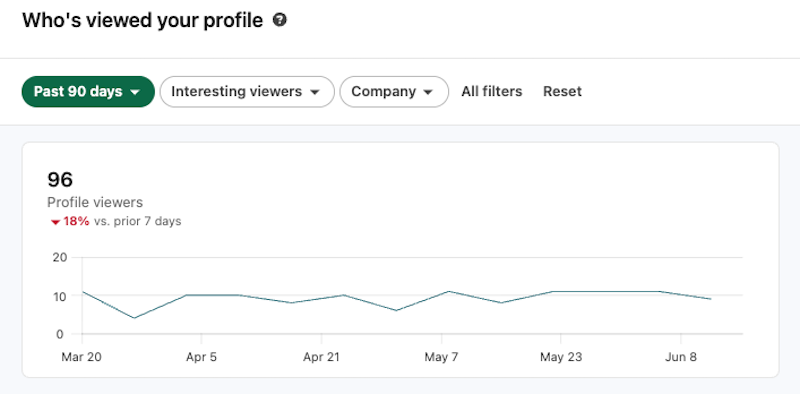
LinkedIn gives the richest professional data of any network. You get follower breakdowns by job function, seniority, industry, and company size. For B2B audiences, that’s gold, since you can confirm whether you’re reaching directors or interns. LinkedIn over-indexes on higher-income, higher-education professionals. A quick tactic is to weight content toward the job titles that engage, not the ones you wish were watching.
The native tool is LinkedIn Page analytics, and it gives the richest professional data of any network.
- Open your Page in admin view.
- Click the Analytics dropdown at the top, then Followers, or open the Audience tab.
- Open Follower demographics and use the dropdown to filter by job function, seniority, industry, company size, and location.
- Check Visitors, then Visitor demographics, for the people viewing your Page who don’t follow you yet.
This is the one network that shows seniority and job function, so confirm you’re reaching buyers, not interns. Export to a spreadsheet if you want to track the shift over time.
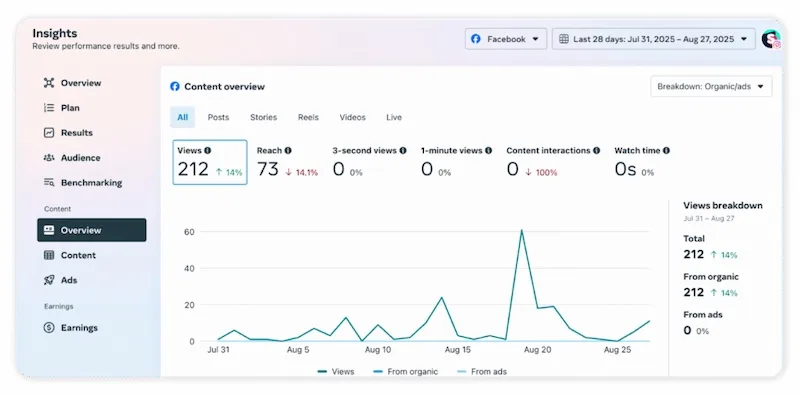
Facebook’s audience data sits in Meta Business Suite Insights, with age, gender, and location. Meta has tightened some demographic reporting through its API, so lean on content-level reach too. Facebook skews toward 30-to-65-year-olds and is still unmatched for local and community audiences.
The native tool is Meta Business Suite Insights. The old Page “Audience” tab now lives here.
- Open Meta Business Suite at business.facebook.com or the mobile app.
- Click Insights in the left menu.
- Open the Audience/overview tab for follower age, gender, top locations, and when they’re online.
- For deeper validation, Meta Ads Manager, then Audiences, lets you size and sanity check an audience before you spend money.
- Or ask the Meta AI Business Assistant, built into Business Suite. It summarizes performance and answers plain-language questions like “which audience drove the best results last month?” across both Facebook and Instagram.
Its built-in analytics are worth a regular look if a meaningful slice of your audience lives there.
YouTube
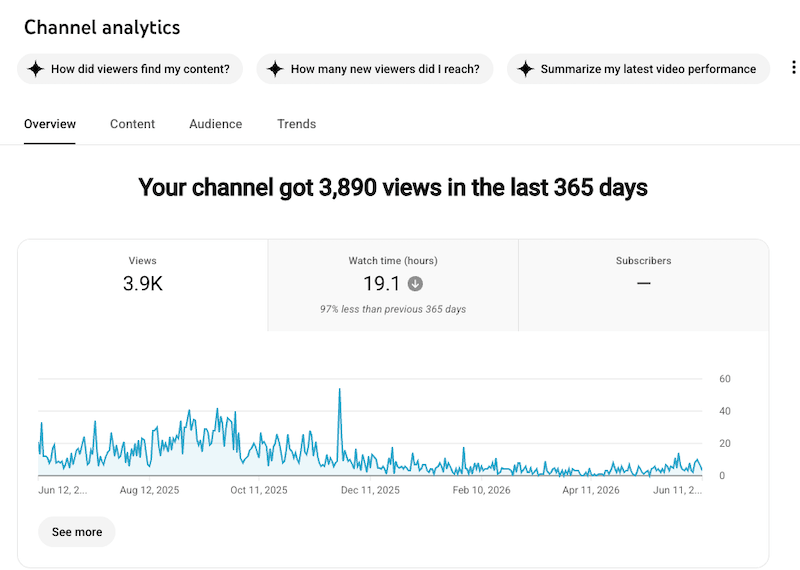
YouTube Studio is one of the most generous analytics tools going. You get age, gender, geography, watch time, and the traffic sources that show how people find you. Audience retention is the signal that matters, since it tells you who stays. YouTube reaches nearly everyone but rewards intent and search. It leans toward people looking for what you cover. A quick tactic is to study which videos bring subscribers versus one-time searchers.
The native tool is YouTube Studio, and its Audience tab is one of the most generous going.
- Open YouTube Studio from your profile icon, top right.
- In the left menu, click Analytics, then open the Audience tab at the top.
- Read age, gender, top geographies, and “when your viewers are on YouTube.” That last chart is your posting-time map.
- Still on the Audience tab, scroll down to the “What your audience watches” and “Channels your audience watches” cards for interests and competitor overlap.
- Or just ask. Ask Studio, YouTube’s new AI assistant (the sparkle icon in Studio), reads your analytics in plain language. Try “How did viewers find my content?” or “How many new viewers did I reach?”
New versus returning viewers tells you who’s loyal. The “channels your audience watches” card is free competitor and interest research most teams never scroll to. The dashboard now runs across four tabs, Overview, Content, Audience, and Trends.
X and Threads
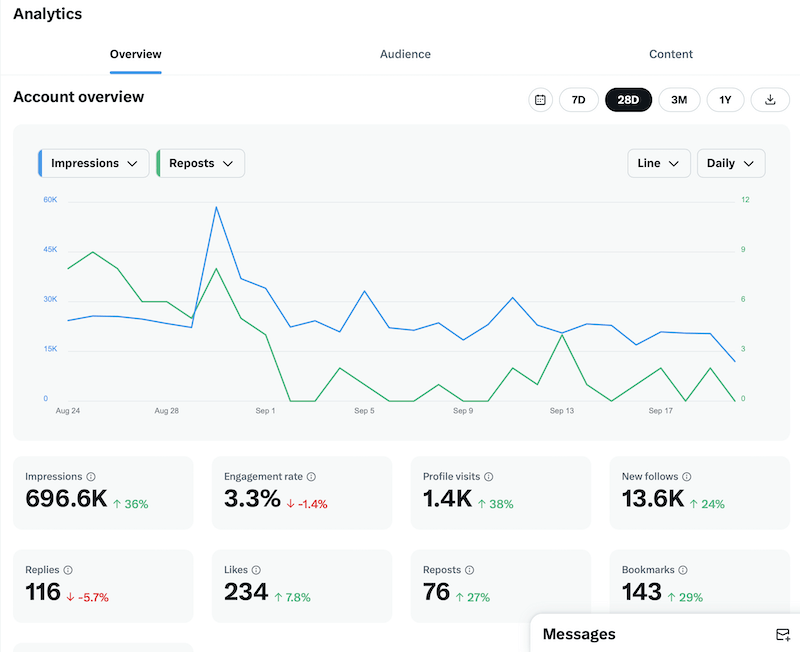
X skews toward news, real-time reaction, and a more male, older-millennial audience. Follower and engagement data live in its native analytics. Threads, tied to Instagram, inherits a chunk of that audience and rewards conversation over broadcast. On both, replies and reposts tell you more about your real audience than your follower count does. A quick tactic is to watch which topics pull your audience into conversation, then lean in.
On X, access is split. Post-level numbers are free, while the fuller audience view sits behind X Premium.
- For any post, tap the bar-chart icon underneath it for impressions and engagement. This is free.
- For account-level audience demographics (locations, ages, genders, and interests under the Followers tab), open x.com analytics on desktop. This now requires X Premium.
- X’s built-in AI, Grok, has live access to the platform. Ask it what your audience is saying about a topic or to summarize the replies on your best post for a fast read on sentiment and language.
- On Threads, tied to your Instagram account, tap the insights icon on your profile for views, interactions, and follower growth. Its audience mostly overlaps your Instagram following, so your Instagram demographics are the best proxy.
With or without Premium, replies and reposts are your clearest free read on who’s engaging, so watch which topics pull your audience into conversation.
Tools to find your target audience on social media
You don’t need a big stack to do this well. Four categories cover it.
- Native platform analytics: Free, and the closest thing to ground truth, since every network’s built-in insights show who’s engaging and how.
- Social listening tools: These find the audience beyond your followers, the conversations, the sentiment, and the language around your category.
- Competitor and audience analysis: Tools that show who engages with similar brands and where the overlap sits, useful for sizing up an audience quickly.
- A social management platform: This is where the pieces come together. Vista Social treats its social listening as a discovery engine. The trending themes your audience cares about surface in one place. From there, you can turn any of them into a ready-to-publish post. Pick the angle and tone and generate the caption, even a matching image, without leaving the tool. Rather than claiming to do everything, it closes the loop from finding your audience to reaching them. The work stops living across three tools and a spreadsheet.
How to reach your audience
Finding your audience is step one. Reaching them is a loop you run on repeat.
- Define who you’re for
- Create the types of content they want
- Publish on each platform when your target audience’s attention is highest
- Measure who engaged and converted
- Refine your target audience, then run it again
A clear audience pays off here. You shape your social media content for specific people. Post when they’re online, and read the results to see who showed up.
Vista Social handles the reach-and-measure half. Its publishing and optimal posting times get you in front of your audience. Its reporting proves you reached the right target audience, the people who engaged and converted. A strong social media engagement approach is what turns a defined audience into an active one.
For agencies juggling clients, running the whole loop in one place pays off. You can define, validate, and share an audience for each client without the chaos.
Find and reach your target audience
The reader who searched for how to find their target audience usually expects a worksheet. The better answer is quieter than that. The people you’re looking for have been leaving a trail all along. It’s in your analytics, your comments, and the conversations about your space.
Read the signals you already have, listen for the ones you don’t, and let your audience’s behavior confirm the rest. Do that consistently, and your audience stops being a guess you defend and becomes something you can see.
When you’re ready, Vista Social brings listening, audience analytics, publishing, and reporting together in one place. Finding your audience and reaching them stops being two tools and a spreadsheet.
Frequently asked questions
How do I find my target audience on social media?
Start with your own native analytics to see who already engages. Then layer in social listening to find people talking about your space who don’t follow you yet. Compare that real picture against who you meant to reach, and close the gap. Confirm it over time by watching who engages, not by trusting the persona doc.
What is a target audience on social media?
A social media target audience is the specific group of people you want to reach on a platform. It’s defined by shared traits like demographics, interests, behaviors, and buying stage. Most brands have more than one, and they often differ by network. The clearer you are about each, the more relevant your content becomes.
How is a social media target audience different from a buyer persona?
A buyer persona is a semi-fictional profile you build to picture your customer, often from assumptions. A social media target audience is observable. It’s the real group engaging with you on a platform, visible in your data. The persona helps you imagine your audience, while the social data shows you who it really is.
How do I find my audience on a specific platform like Instagram or TikTok?
Use each platform’s native analytics, such as Instagram Insights or TikTok Analytics. Look at age, location, active times, and which content earns saves, shares, or watch time. Each network surfaces a slightly different audience, so read them separately rather than assuming one carries over. The signals that matter most also differ, saves on Instagram, completion rate on TikTok.
What tools help you find your target audience on social media?
Native platform analytics are free and the best starting point, since they show who’s already engaging. Social listening tools find the audience beyond your followers, and competitor analysis shows who engages with similar brands. A social management platform brings listening, analytics, publishing, and reporting together. You’re not stitching it across separate tools.
Can social listening help me find my target audience?
Yes, and it’s one of the most useful ways to do it. Social listening surfaces the people talking about your brand, your competitors, and your category who haven’t followed you yet. It captures the language and sentiment behind those conversations. That reveals audience your own follower data simply can’t show you.
How often should I update my target audience?
Treat it as a living definition and revisit it at least quarterly. Do it sooner whenever your content focus, a platform, or your goals shift noticeably. Audiences move, platforms change, and new segments appear. A quick quarterly check keeps your definition honest without turning it into a project.
Try Vista Social for free
A social media management platform that actually helps you grow with easy-to-use content planning, scheduling, engagement and analytics tools.
Get Started NowAbout the Author

Content Writer
Orion loves to write content that refuses to be boring. As part of Vista Social, he helps brands, creators, and agencies stop doom scrolling and start winning with social media. When he's not in front of a keyboard, he's watching films in IMAX with his wife, dissecting football tactics (the European kind), and getting lost in a good book.
Loading related tools...

The most complete social media management platform for teams who demand more.






Tools
PublishingAnalyticsEngagementIntegrations
FacebookInstagramLinkedInRedditSnapchatThreadsTikTokX (Twitter)YouTubeMCPVista Page (link-in-bio)All IntegrationsCopyright © 2026 Vista Social LLC. All Rights Reserved.